Veedio for Business
Financial Advisor Video Marketing
Start posting real videos about your business and keep them going out on autopilot.
Who is on camera
- You, from a photoYour own face
- PresenterEmilyOn a sofa
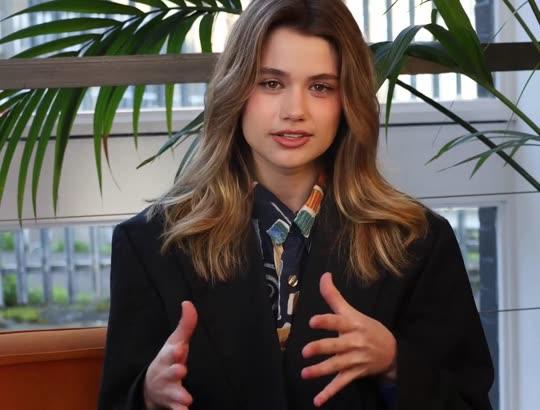
- PresenterEmily, seatedOn a sofa, side-on

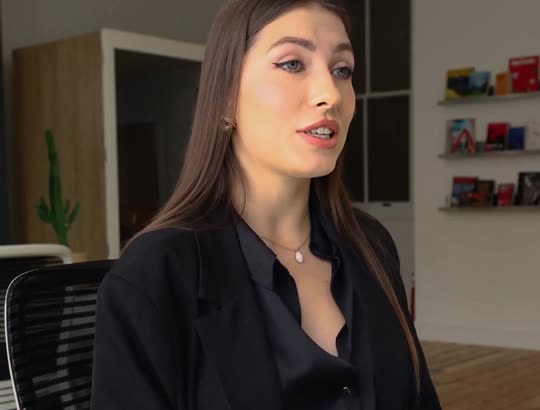
- PresenterElenaAt a desk
- PresenterAishaOutdoors, walking

- UGCWoman at homeBright home kitchen

- UGCMan in his carParked car

- UGCMorning routineBathroom, morning light

- UGCAt the deskHome desk

- UGCOutdoorsSunny street

- UGCOn the couchLiving-room couch

- Creator ads from Brand, $99/month
How it works
Step 1
Pick a concept
Something prospects ask about: rollovers, conversions, fiduciary duty.
Step 2
Education, not advice
One concept, no products, no performance, no testimonials.
Step 3
Route through compliance
The script comes back first; render once it is approved.
Where to start
Pick one and it opens with the idea filled in. Change the words, then make it.
Pricing
Plans that grow with you
Creators on camera on Brand, Growth and Scale. Cancel any time.
Brand
$99/month
About 20 product ads a month, for one brand testing what sells.
- 3,000 credits a month
- Presenter and UGC creator ads
- 3 Auto-Mode workers for topic and feed videos
- 5 cloned voices
Growth
Recommended$199/month
About 45 product ads a month: fresh creatives every week across your channels.
- 6,200 credits a month
- Presenter and UGC creator ads
- 6 Auto-Mode workers for topic and feed videos
- 10 cloned voices
Scale
$399/month
About 90 product ads a month, for several product lines, brands or clients.
- 12,500 credits a month
- Presenter and UGC creator ads
- 15 Auto-Mode workers for topic and feed videos
- 25 cloned voices
Questions
Questions about the Financial Advisor Video Marketing
Is it compliant with the SEC marketing rule or FINRA?
It is written to avoid the common problems — performance, testimonials, recommendations, promises — but compliance is your firm’s determination. Route every script through your review process before rendering and publishing.
Will it recommend investments?
No. The brief forbids recommending specific securities or products and labels every video as education rather than individual advice.
Can I archive the scripts?
The full script is shown before anything renders, and each scene’s line stays visible in the editor afterwards. Keep copies in your firm’s own archive as your rules require.
What does it cost?
Plans are monthly: Mini $7 (200 credits), Starter $19 (600 credits), Pro $49 (2,000 credits), Studio $149 (7,500 credits). A five-scene short in pictures costs 13 credits; with AI motion in every scene it costs 138. You see the price before you generate, and the first payment on any plan has a 7-day money-back guarantee.
Can it post to LinkedIn?
Not directly: the app publishes to TikTok, Instagram and YouTube. Download the file and upload it to LinkedIn yourself; 1:1 and 16:9 suit LinkedIn feeds.
Can I be on screen?
Not from your own footage. On Pro and Studio, a presenter scene puts a lifelike AI avatar on screen speaking your script, lip-synced to the voice you picked. It is an AI presenter, not you, and should not be presented as one of your advisors.
Do we own the videos?
You own the videos on every plan and can use them commercially, paid ads included. There is no watermark on any plan, the export is 1080p, and the music beds are licensed for commercial use with no attribution.
Do I have to sign up to try this?
Yes, a free one. Signup takes a moment and needs no card. Once you are signed in, the box at the top writes the script and the shot list for no credits — that is the part that decides whether the video is worth making.
Do I own the videos, and is there a watermark?
You own them, on every plan, and there is no watermark on any plan, no resolution cap and no platform withheld. Four things do follow the plan, because they are what a video costs to make: AI motion and sound effects need Starter, and a presenter avatar and the choice of video model need Pro. Everything else — every voice, every language, every caption style, every aspect ratio — is the same on all of them.
About the tool
More about the Financial Advisor Video Marketing
What it makes
Financial education shorts for advisors and planners — one concept each, no performance claims, no recommendations, ready for compliance review.
One general concept per video. No recommendations, no returns, no testimonials.
Education is the marketing
Prospects choose an advisor whose explanations they already trust. Short videos that explain one concept clearly — what a Roth conversion is, what to do with an old 401(k), what fiduciary means — answer the questions people search for and show how you think, without saying anything a compliance officer would strike.
This preset writes one concept per video in plain English, in a measured voice over clean 3D-rendered scenes with no music by default, and closes by suggesting viewers discuss their own situation with a qualified professional.
Written for compliance review
Advisor marketing is regulated — the SEC’s marketing rule for investment advisers and FINRA’s communications rules for broker-dealers among them — and the common problems are performance claims, testimonials, specific recommendations and anything promissory. The brief forbids all of them, labels the video as education rather than advice, and never invents figures, contribution limits or tax rules; type the figure you want and it uses it.
Because the script comes back before anything renders, it can go through your firm’s review and archive process first. Required disclosures go in the caption or on an end card added in an editor. This page is not compliance advice.
Steady, evergreen, reviewable
Most financial concepts change slowly, so an approved library keeps working for years. Connect TikTok, Instagram and YouTube once and publish to TikTok, Reels and Shorts from the app, on every plan. One account each on TikTok, Instagram and YouTube, three at most (Mini connects one).
Plans are monthly: Mini $7 (200 credits), Starter $19 (600 credits), Pro $49 (2,000 credits), Studio $149 (7,500 credits). A five-scene short in pictures costs 13 credits; with AI motion in every scene it costs 138. You see the price before you generate, and the first payment on any plan has a 7-day money-back guarantee. Starter ($19 a month, 600 credits) covers about 46 five-scene shorts in pictures, or about 4 with AI motion in every scene.
Who it's for
Independent RIAs
Education videos that show how you think, inside the marketing rule.
Financial planners
Plain explanations of the decisions clients face at each life stage.
Advisors at broker-dealers
General education to route through your firm’s review before posting.
Tax and retirement specialists
Rollovers, conversions and distributions explained generally.
What this replaces
Input
The usual way: Script, compliance pre-review, film, compliance post-review.
With Veedio: One concept, typed; the script goes to review before a frame renders.
Visuals
The usual way: An advisor at a desk, or charts that imply performance.
With Veedio: Clean 3D scenes with no performance charts, one per line.
Voiceover
The usual way: Book a VO artist, or record yourself and cut the breaths out.
With Veedio: Five ElevenLabs voices, re-recorded free whenever the line changes.
Captions
The usual way: Auto-captions that drift, then an hour nudging keyframes.
With Veedio: Burned in from the voice model’s own word alignment, so they land on the syllable.
Turnaround
The usual way: Days, and most of it waiting on someone else.
With Veedio: About a minute, and you watch it fill in scene by scene.
Changing it
The usual way: Re-shoot when compliance changes a phrase.
With Veedio: Edit the line; only that line’s voice is re-recorded.
| The usual way | With Veedio | |
|---|---|---|
| Input | Script, compliance pre-review, film, compliance post-review. | One concept, typed; the script goes to review before a frame renders. |
| Visuals | An advisor at a desk, or charts that imply performance. | Clean 3D scenes with no performance charts, one per line. |
| Voiceover | Book a VO artist, or record yourself and cut the breaths out. | Five ElevenLabs voices, re-recorded free whenever the line changes. |
| Captions | Auto-captions that drift, then an hour nudging keyframes. | Burned in from the voice model’s own word alignment, so they land on the syllable. |
| Turnaround | Days, and most of it waiting on someone else. | About a minute, and you watch it fill in scene by scene. |
| Changing it | Re-shoot when compliance changes a phrase. | Edit the line; only that line’s voice is re-recorded. |
How it writes your script
For an idea like “What a Roth conversion is, and the questions to ask before doing one”, the script writer also gets this direction:
Write a short financial education video for a financial advisor or planner. Open on a common situation, explain one concept generally and accurately in plain English, and close by suggesting the viewer discuss their own situation with a qualified professional. State that it is educational, not individual advice. Never recommend a specific security or product, never mention returns, performance or guarantees, never use testimonials, and never invent figures, limits or tax rules.