Veedio for Business
Tax Preparer Video Ads
Start posting real videos about your business and keep them going out on autopilot.
Who is on camera
- You, from a photoYour own face
- PresenterEmilyOn a sofa
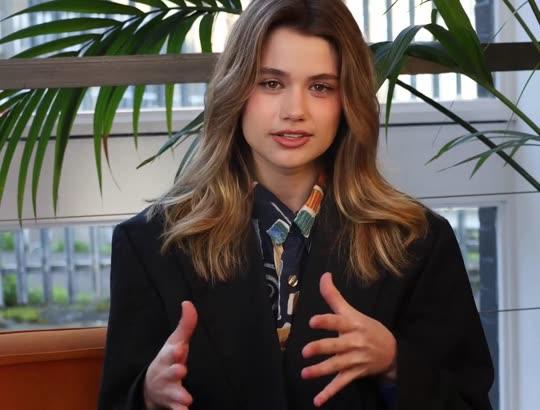
- PresenterEmily, seatedOn a sofa, side-on

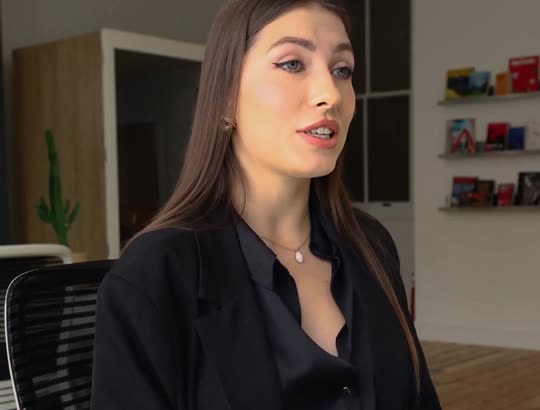
- PresenterElenaAt a desk
- PresenterAishaOutdoors, walking

- UGCWoman at homeBright home kitchen

- UGCMan in his carParked car

- UGCMorning routineBathroom, morning light

- UGCAt the deskHome desk
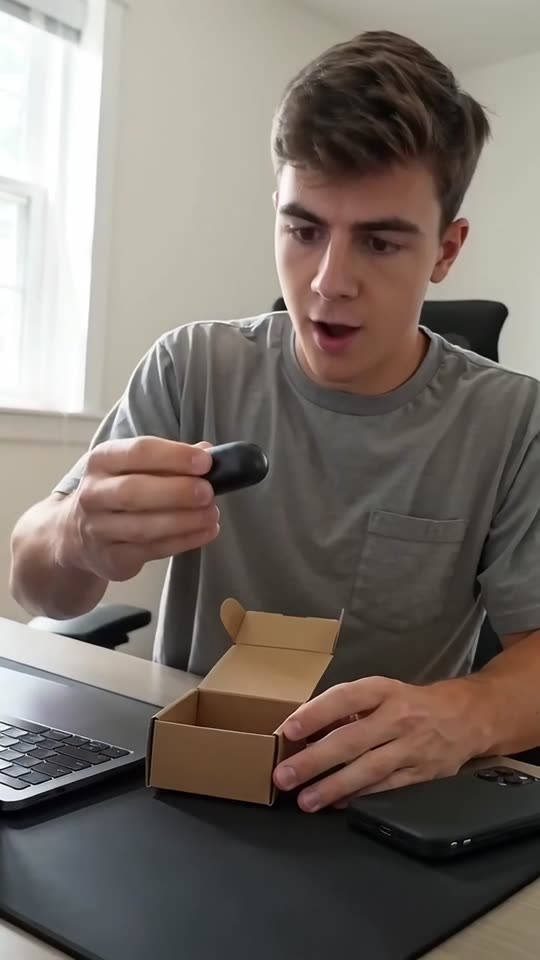
- UGCOutdoorsSunny street

- UGCOn the couchLiving-room couch

- Creator ads from Brand, $99/month
How it works
Step 1
Type your dates, services and fees
The season opening, a checklist or the returns you do, with fees and credentials exactly as you publish them.
Step 2
Check there is no refund promise
No refund amount or date, no IRS connection, and no credential worded in a way Circular 230 does not allow.
Step 3
Post it or run it as an ad
Publish to TikTok, Reels and Shorts from Veedio, or download the 1080p MP4 for Ads Manager.
Where to start
Pick one and it opens with the idea filled in. Change the words, then make it.
- Season opening ad for El Paso: appointments start January 12, evenings and Saturdays, bring last year's return and every W-2 and 1099, book at the link
- Checklist video for rideshare drivers: bring your 1099s, a mileage log, phone and car costs and last year's return, then call 915-555-0127 to book
- Self-employed ad: returns for freelancers and small landlords in Columbus, Mark Ortiz, enrolled agent, enrolled to practice before the Internal Revenue Service, fees from $250
Pricing
Plans that grow with you
Creators on camera on Brand, Growth and Scale. Cancel any time.
Brand
$99/month
About 20 product ads a month, for one brand testing what sells.
- 3,000 credits a month
- Presenter and UGC creator ads
- 3 Auto-Mode workers for topic and feed videos
- 5 cloned voices
Growth
Recommended$199/month
About 45 product ads a month: fresh creatives every week across your channels.
- 6,200 credits a month
- Presenter and UGC creator ads
- 6 Auto-Mode workers for topic and feed videos
- 10 cloned voices
Scale
$399/month
About 90 product ads a month, for several product lines, brands or clients.
- 12,500 credits a month
- Presenter and UGC creator ads
- 15 Auto-Mode workers for topic and feed videos
- 25 cloned voices
Questions
Questions about the Tax Preparer Video Ads
Can the ad promise a bigger refund?
No, even if you type it. Nobody knows the refund before the return is done, so the brief never promises an amount, a bigger refund or a date.
Can my enrolled agent credential be in the ad?
Yes, worded as you type it. Circular 230 (31 CFR 10.30) bars tax practitioners from false, misleading or deceptive statements in any public communication, says enrolled agents and registered tax return preparers may not describe themselves as “certified” or imply they work for the IRS, holds a published fee for at least 30 calendar days, and asks for copies of direct mail and e-commerce communications to be kept for at least 36 months.
Can it make a document checklist series?
Yes: one run per document or per kind of client, each a short video to post through the weeks before the season. Type the documents you ask for and it uses those.
Will the video show my actual work?
Only what you add. Every scene is generated from its own line of the script, so it shows a job like yours — not your crew, your van or work you did — and the brief never presents a frame as your work or as a real result. One photo of your own can open the video, added in the composer.
Can it use my customers’ reviews?
The brief never invents a review, a star rating, a customer or a count of jobs done. To use a real review, type it word for word, with the customer’s permission, and the script reads it as a quote.
Can I run these as ads, or post them every week?
Yes. You own the videos on every plan and can use them commercially, paid ads included. There is no watermark on any plan, the export is 1080p, and the music beds are licensed for commercial use with no attribution. Connect TikTok, Instagram and YouTube once and publish to TikTok, Reels and Shorts from the app, on every plan. One account each on TikTok, Instagram and YouTube, three at most (Mini connects one).
What does it cost?
Plans are monthly: Mini $7 (200 credits), Starter $19 (600 credits), Pro $49 (2,000 credits), Studio $149 (7,500 credits). A five-scene short in pictures costs 13 credits; with AI motion in every scene it costs 138. You see the price before you generate, and the first payment on any plan has a 7-day money-back guarantee. Starter ($19 a month, 600 credits) covers about 46 five-scene shorts in pictures, or about 4 with AI motion in every scene.
Do I have to sign up to try this?
Yes, and pick a plan: Mini is $7 a month, and the first payment has a 7-day money-back guarantee. On a plan, the box at the top writes the script and the shot list for no credits — that is the part that decides whether the video is worth making.
Do I own the videos, and is there a watermark?
You own them, on every plan, and there is no watermark on any plan, no resolution cap and no platform withheld. Four things do follow the plan, because they are what a video costs to make: AI motion and sound effects need Starter, and a presenter avatar and the choice of video model need Pro. Everything else — every voice, every language, every caption style, every aspect ratio — is the same on all of them.
About the tool
More about the Tax Preparer Video Ads
What it makes
Captioned video ads for tax preparers: the date you start appointments, the documents to bring, the returns you take, with fees and credentials exactly as you state them and no refund you cannot promise.
Your dates, services, fees and credentials exactly as you would publish them. It never promises a refund, never says IRS-approved, and words a credential only as you type it.
Appointments open, bring these, we do these returns
A tax preparer’s year has a short window, and the ads that fill it say three plain things: when you start taking appointments, what to bring and which returns you do. The brief writes one of those: a season ad with your dates and hours, a checklist video with one document per scene, or a service ad for the clients you want, the freelancer, the rideshare driver, the small landlord.
The first line is the hook, said with no greeting: the 1099 nobody warned them about, the Saturday appointment, the January start date. One run writes one video, so a run per document makes a checklist series for the weeks before the season. For year-round planning and investments, the financial advisor page is the closer fit.
Circular 230, refunds and the word “certified”
Circular 230 (31 CFR 10.30) bars tax practitioners from false, misleading or deceptive statements in any public communication, says enrolled agents and registered tax return preparers may not describe themselves as “certified” or imply they work for the IRS, holds a published fee for at least 30 calendar days, and asks for copies of direct mail and e-commerce communications to be kept for at least 36 months. So the brief never writes “certified” for an enrolled agent or registered preparer, never implies a connection to the IRS, and words a credential only as you type it.
It never promises a refund amount, a bigger refund or a refund date, and states no deadline, credit or deduction you did not type, because those change and a client will quote them back. A fee you publish is said exactly as typed. You review every script, and this page is not legal or tax advice.
Generated office scenes, never a readable form
Every scene is generated from its own line of the script, so it shows a job like yours — not your crew, your van or work you did — and the brief never presents a frame as your work or as a real result. One photo of your own can open the video, added in the composer. For a tax office that means a folder slid across a desk, a lamp-lit window in winter, a calculator beside a stack of papers, with no readable form and no government seal.
The brief never invents a review, a star rating, a customer or a count of jobs done. To use a real review, type it word for word, with the customer’s permission, and the script reads it as a quote. You own the videos on every plan and can use them commercially, paid ads included. There is no watermark on any plan, the export is 1080p, and the music beds are licensed for commercial use with no attribution.
Who it's for
Independent preparers
Season and checklist ads from December on, with your dates and fees as you publish them.
Enrolled agents and CPA firms
Service ads for the returns you want more of, each credential worded as you type it.
Tax offices with several locations
The same season ad with each office’s hours and number, one run per office.
Agencies running local clients
A month of posts and ads for each client from one login, every script written from that client’s own services and prices, and every line read before it renders.
What this replaces
Input
The usual way: A preparer on camera in January, the busiest month of the year.
With Veedio: Your dates, services and fees, typed in one sentence.
Visuals
The usual way: Stock footage of calculators and forms, often with readable figures.
With Veedio: Generated office scenes with no readable form; one photo of your office can open it.
Voiceover
The usual way: Book a VO artist, or record yourself and cut the breaths out.
With Veedio: Five ElevenLabs voices, re-recorded free whenever the line changes.
Captions
The usual way: Typed in an editor, if there is time.
With Veedio: Every word burned in as it is spoken, the dates included.
Turnaround
The usual way: After the season starts, which is too late.
With Veedio: Minutes per video, so the series is ready in December.
Changing it
The usual way: Re-record the line, re-cut the timeline, re-export, re-upload.
With Veedio: Edit the line and only its voice is re-recorded, free. A new still is free too; a new motion clip is free once per video.
| The usual way | With Veedio | |
|---|---|---|
| Input | A preparer on camera in January, the busiest month of the year. | Your dates, services and fees, typed in one sentence. |
| Visuals | Stock footage of calculators and forms, often with readable figures. | Generated office scenes with no readable form; one photo of your office can open it. |
| Voiceover | Book a VO artist, or record yourself and cut the breaths out. | Five ElevenLabs voices, re-recorded free whenever the line changes. |
| Captions | Typed in an editor, if there is time. | Every word burned in as it is spoken, the dates included. |
| Turnaround | After the season starts, which is too late. | Minutes per video, so the series is ready in December. |
| Changing it | Re-record the line, re-cut the timeline, re-export, re-upload. | Edit the line and only its voice is re-recorded, free. A new still is free too; a new motion clip is free once per video. |
How it writes your script
For an idea like “Season opening ad for El Paso: appointments start January 12, evenings and Saturdays, bring last year's return and every W-2 and 1099, book at the link”, the script writer also gets this direction:
Write a short vertical video ad for a tax preparer, enrolled agent, CPA firm or tax office, for Facebook, Instagram, TikTok and YouTube Shorts, addressed to individuals and small business owners. Work out from the user's words which angle this is and write only that one: a season ad (when appointments start, the hours and how to book), a checklist video (the documents to bring, one per scene, exactly as the user listed them), or a service ad (the returns the preparer takes and who they serve, the fee as typed and the call). If the user names none, write the season ad. The first line is the hook: it works with the sound off and without context, and it is said in the first scene with no greeting before it. Write every line so it reads on its own as a caption. Never promise or suggest a refund amount, a 'maximum' or 'bigger' refund, a refund date or a refund advance, even if the user typed it. Never say or suggest that the preparer works for, is approved by or is endorsed by the IRS, never describe an enrolled agent or registered preparer as 'certified', and word every credential exactly as the user typed it. Never state a filing deadline, a tax rule, a credit, a deduction or an amount unless the user typed it. Use only the dates, hours, services, return types, documents, fees, credentials, names, offices, contact details and claims the user typed, exactly as typed. Never invent a fee, a credential, a deadline, a rule, an audit-protection offer, a review, a rating, a count of returns or years in business. Never claim the speaker prepared a particular client's return unless the user typed it; write as the preparer speaking to clients. Each scene describes one vertical frame of a generic tax-office moment like the one described: a tidy desk with a folder of papers and a calculator, a client's hands sliding a folder across a desk, an office window at dusk in winter with a lamp on, a laptop screen blurred beyond reading, with no readable form or figure, no IRS or government seal, no real brand or logo, and no text in the frame. Never describe a generated frame as a photograph of the office, the preparer or a client. End with the call to action the user gave, or 'Book your appointment at the link' if they gave none.